Program Data
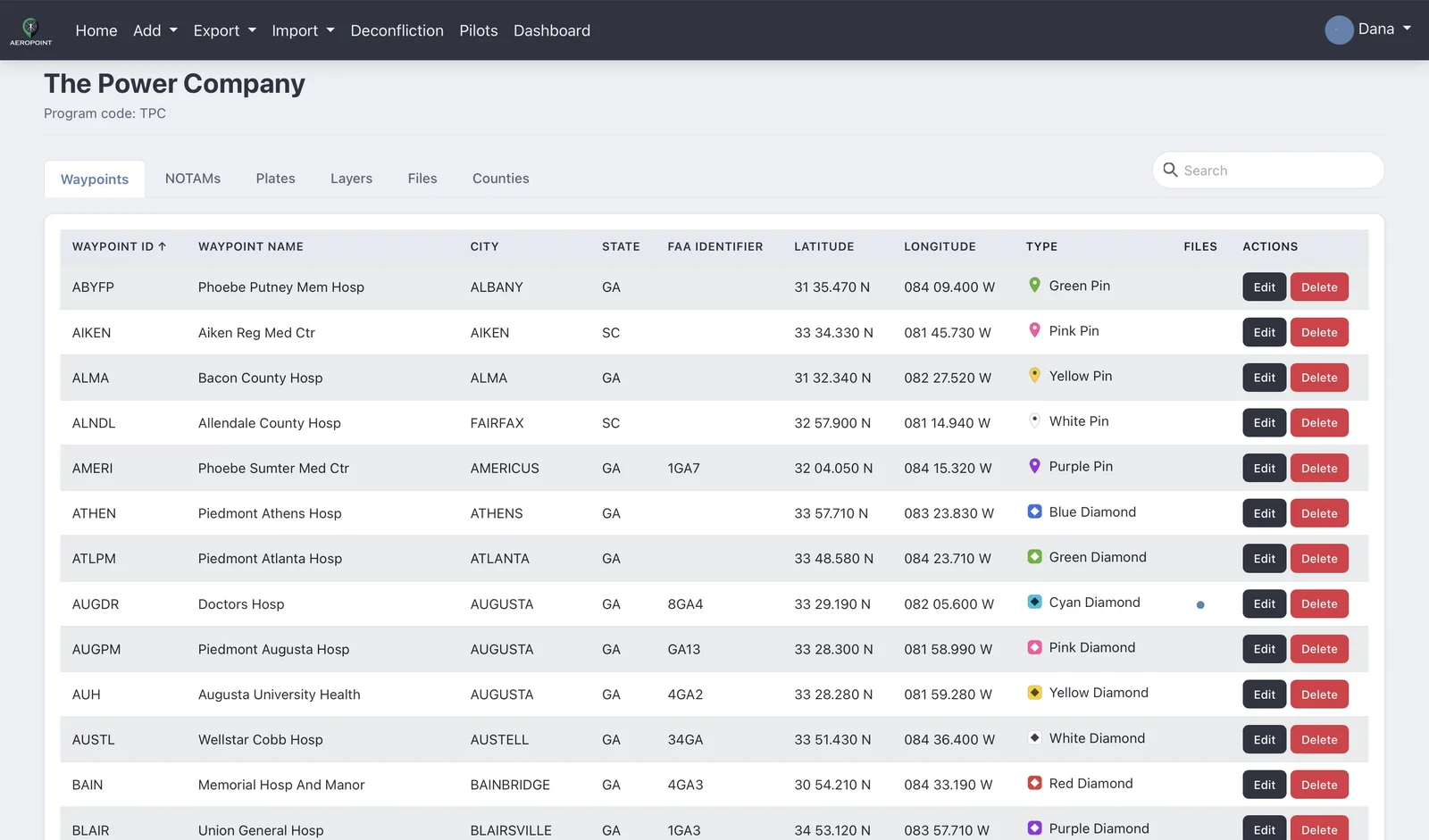
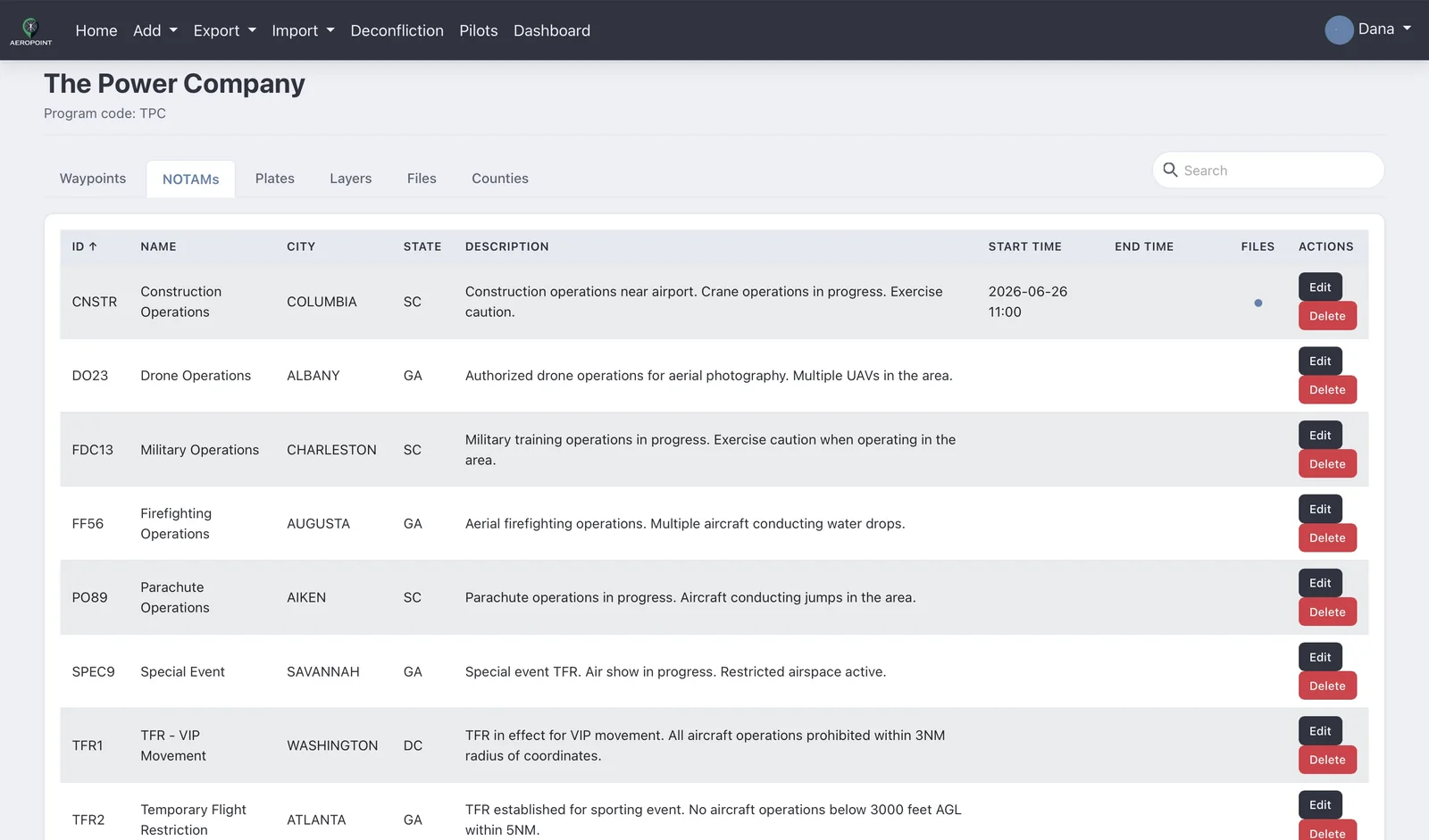
Waypoints, NOTAMs, counties, plates, layers, and program files live in structured tabs with sorting, actions, attachment indicators, and a single search that looks across every tab at once.
Waypoint, hazard, and deconfliction operations
AeroPoint® brings program data, operational files, route planning, deconfliction, and flight approvals into a secure web app designed for operations centers, dispatchers, pilots, contractors, and company administrators.
AeroPoint supports
Platform
Manage operational data in one place, keep program access controlled, and give field users a focused interface that works on desktop, tablet, and mobile.
Waypoints, NOTAMs, counties, plates, layers, and program files live in structured tabs with sorting, actions, attachment indicators, and a single search that looks across every tab at once.
Operators place scheduled areas or routes by drawing directly on a map or entering coordinates, review conflict warnings, and keep admins informed through the review workflow. Conflicts alert everyone involved by email and text message.
Company admins manage users, invitations, access requests, groups, programs, feature flags, and company backup workflows.
See It In Action
Real screens from the AeroPoint demo. Pick a feature to see how it looks, and select any screenshot to view it full size.
Watch It Work
Recorded on the AeroPoint demo. Start with deconfliction, then see the rest of what comes with every instance.
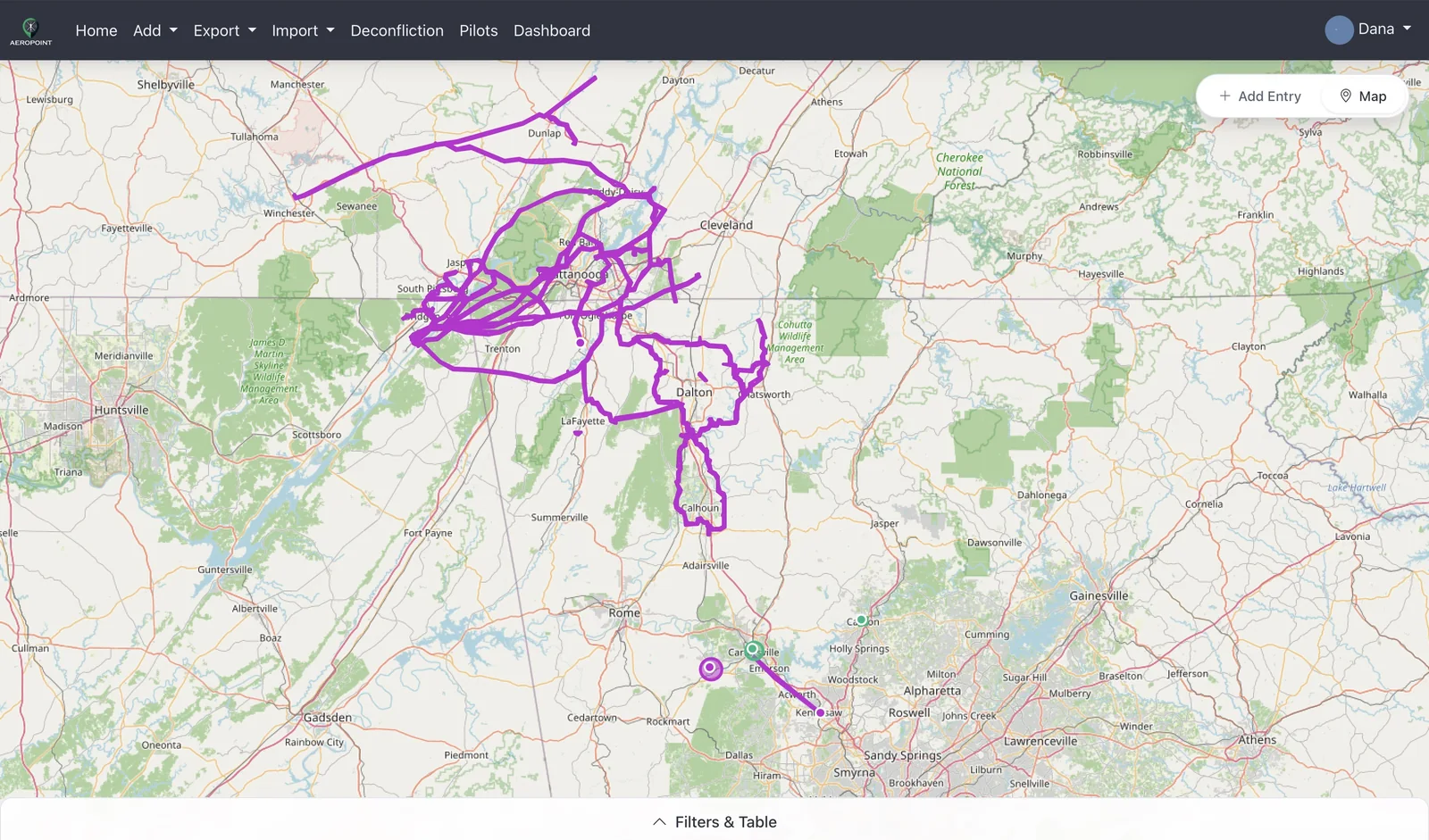
Every flight on one map and in one table, with filters and each pilot's details a click away.
A pilot brings in a route exported from ForeFlight, sets the corridor and submits it with a flight number.
A whole transmission network from one KMZ, with every line kept as its own corridor.
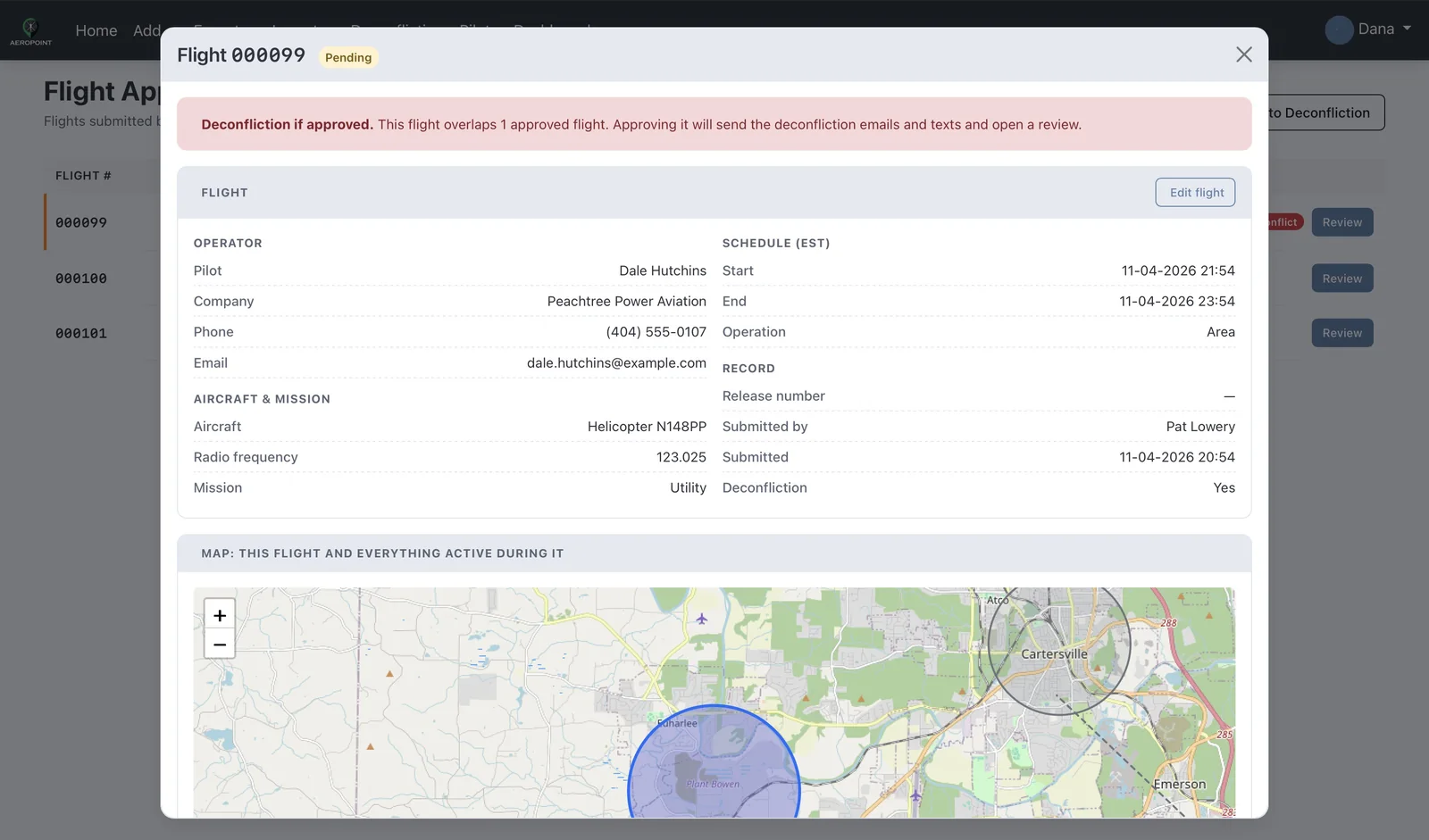
The operations center reviews the flight on a map with everything else flying, adds a message for the pilot, and approves it.
Ops picks a pilot from the shared list and files a drone survey that overlaps an approved flight.
A contractor's area 40 feet from a corridor causes no alert. One change pulls the approval and triggers the conflict.
Every conflict gets a written resolution, and every flight a permanent record. Both export to Excel.
Add a pilot once with their usual aircraft, tail number and mission so every shift can file for them.
Add a waypoint with an icon and an attached file, then import a whole spreadsheet into a new program.
Add a NOTAM and import a list in seconds. They go to your pilots' ForeFlight automatically.
Everything a crew base needs, organized by program, and one search box across all of it.
Groups are checkboxes that save on click. Operations has every group, and contractors stand alone.
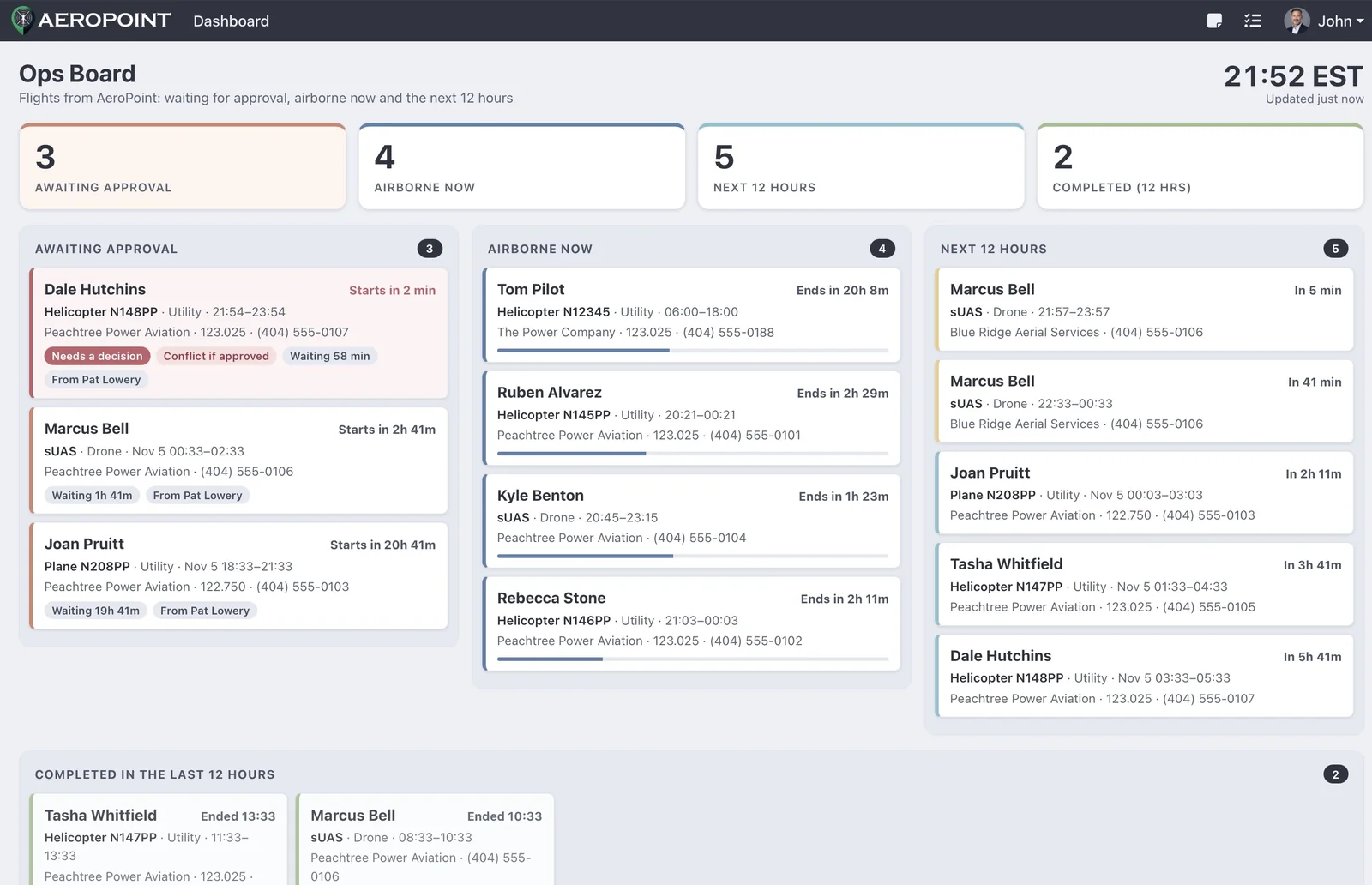
The operations center TV: waiting for approval, active and upcoming flights, updating all day.
Ops and the pilot talk about each flight right on it, internal notes stay inside, and pilots without an account answer by email.
Add AeroPoint to your Home Screen and it runs full screen, like an app. Every feature, sized for a tablet or a phone.
Open AeroPoint in Safari, tap Share, then Add to Home Screen. It opens full screen, like an app.
Your AeroPoint username and password, and you're in.
Scroll the list, swipe for more columns, and edit a waypoint right from the iPad.
Every NOTAM with its start and end times, and edits on the spot.
Plates for private airports and heliports, map layers, manuals and county notes.
Create a new waypoint or NOTAM from wherever you are.
Build a ForeFlight content pack, and import waypoints or NOTAMs from a spreadsheet.
File a flight with your details filled in, check current entries, see the map and read messages from ops.
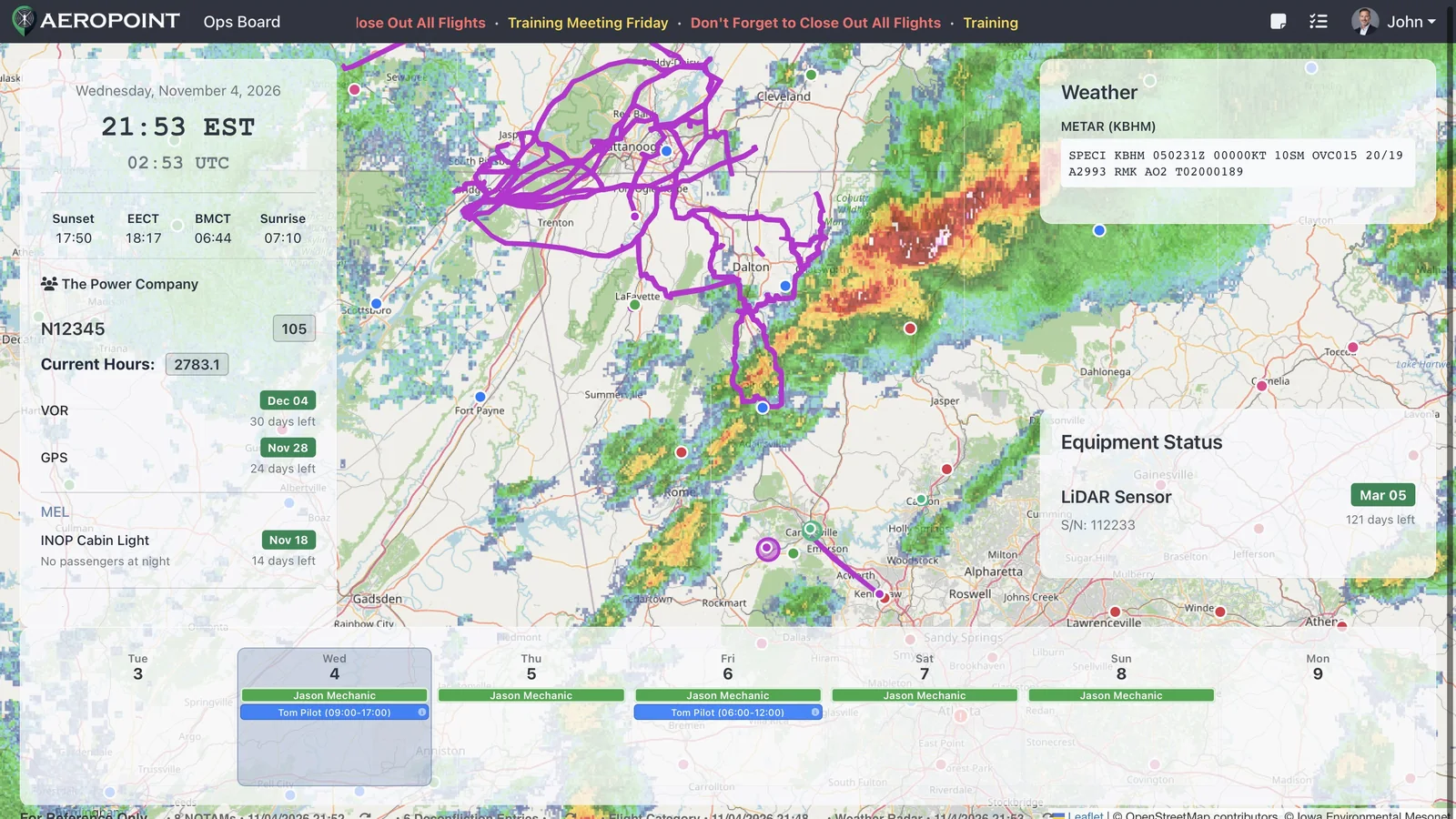
Aircraft hours, weather, the schedule, equipment and a live map of the day's flights.
Add aircraft and set up hours, date, VOR and GPS checks.
Shared notes for the crew and the shift change checklist.
Alerts That Reach The Pilot
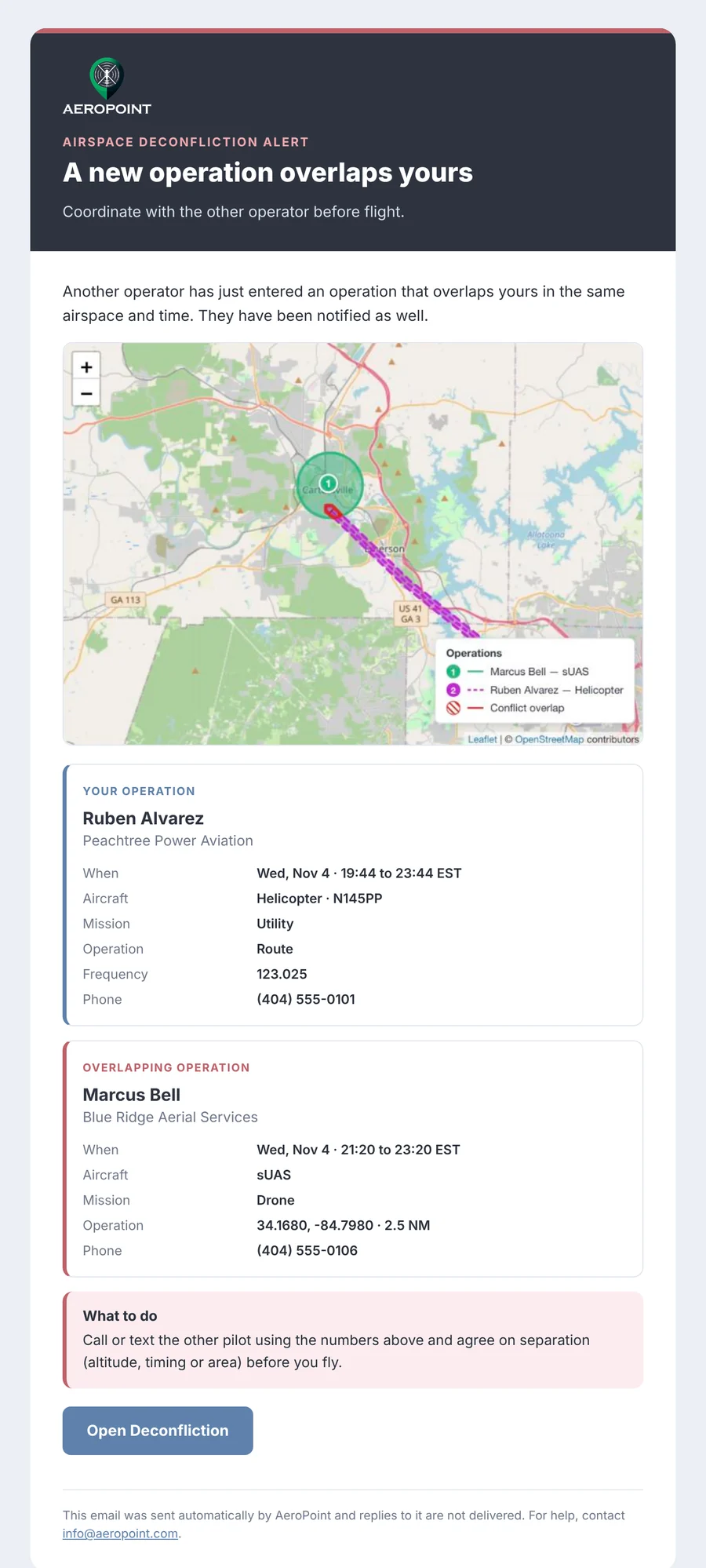
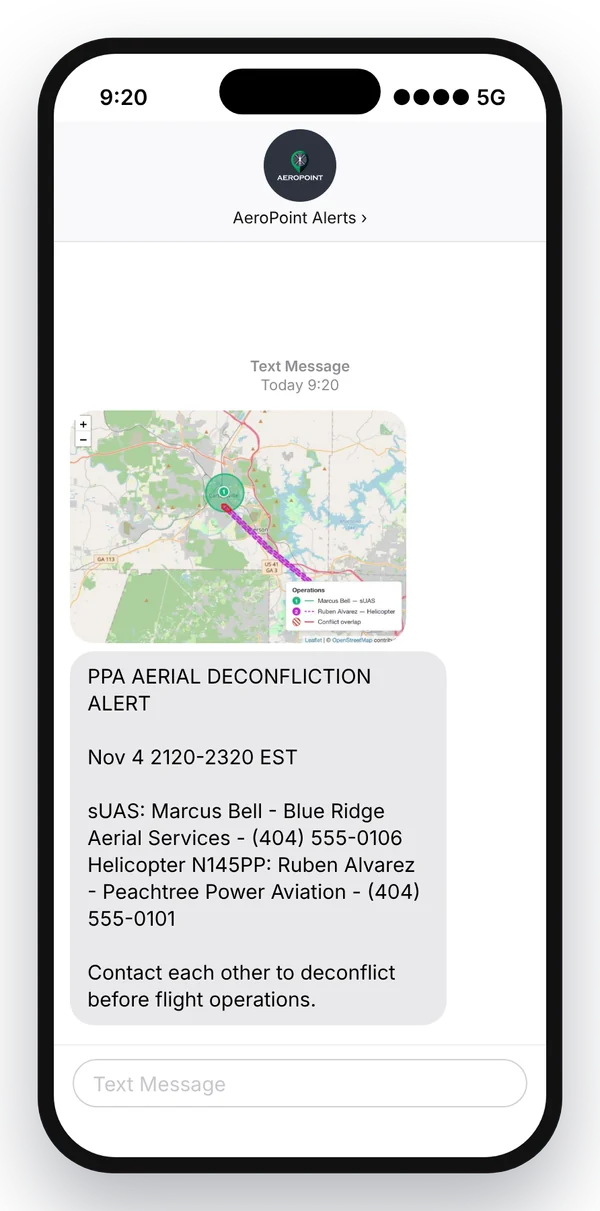
When two operations overlap, both pilots get a text with the other pilot's phone number and a map, plus an email with every detail. When a flight is approved, the pilot gets the release number the same way.
Operational Workflows
AeroPoint is designed for practical operational tasks: import a waypoint CSV, attach a PDF to a record, update county notes, upload a plate, approve an access request, or submit a deconfliction entry from the field.
Explore the complete user and admin guideUse validated CSV formats, attachment handling, and program-specific tables to keep operational data consistent.
Submit area, route, or mission area entries with schedule, aircraft, mission, and airspace details.
Admins can filter logs, review conflicts, manage recipients, and create database backups from Settings.
Operations Centers
More and more flights are filed and released by an operations center rather than by the pilot. AeroPoint now gives dispatch and operations staff their own role, an approval queue with release numbers, and a permanent record of every flight.
When it is turned on, pilot submissions wait in an Approvals queue instead of going live. Approvers see each flight on a map with everything else active at the same time, are warned of any conflict before they approve, can edit the flight and message the pilot, and approve with a release number or deny with a reason. The pilot gets an email and a text with the decision, the release number, any changes, and any message from the approver.
A new Operations role files flights on behalf of pilots. Pick a pilot from a shared, searchable list and their name, contact details, aircraft, tail number, frequency, and mission fill in automatically. Operations users approve flights, see deconfliction reviews, and keep full access to waypoints, NOTAMs, and the rest of AeroPoint.
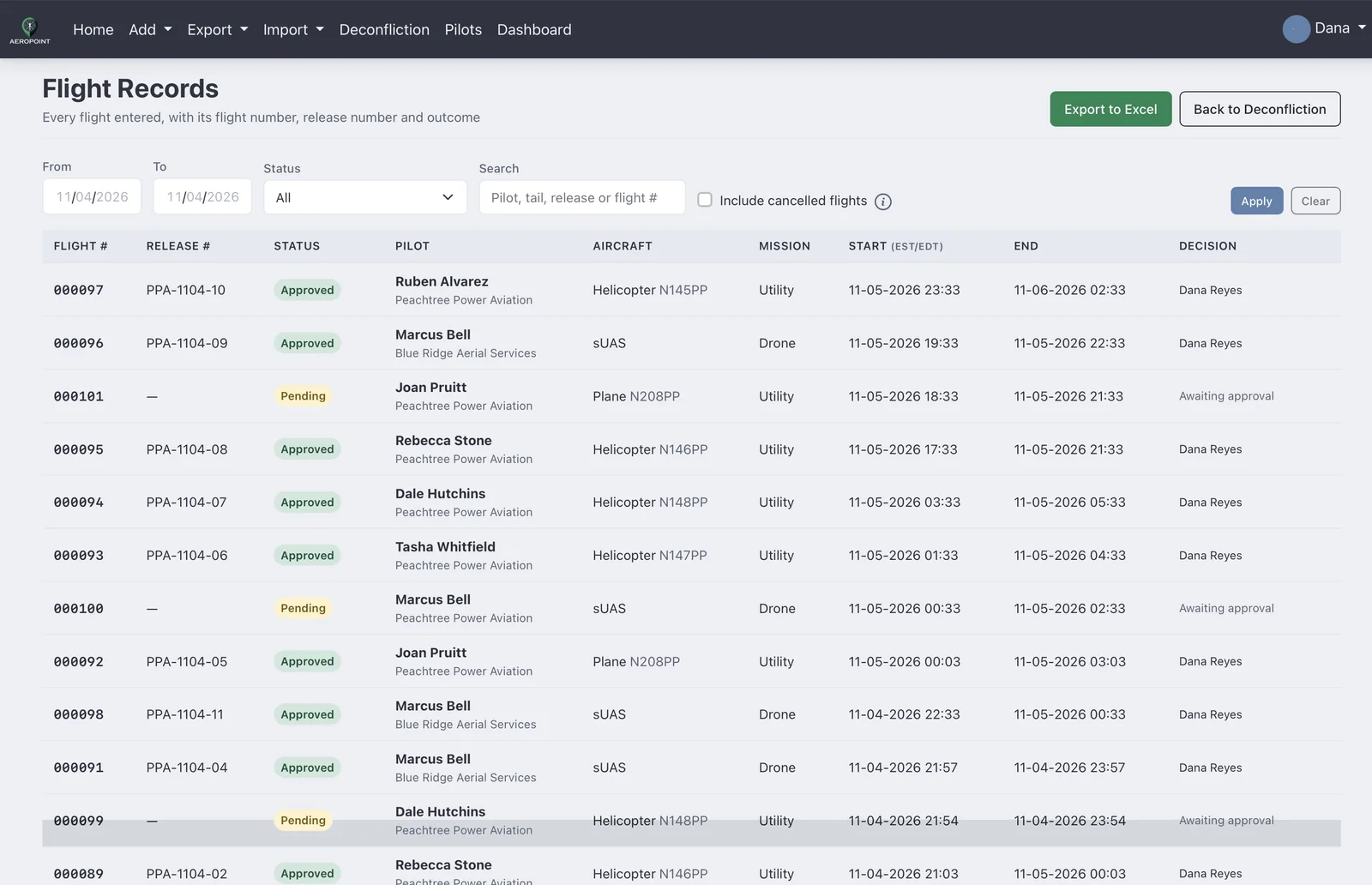
Every flight gets a six-digit flight number and stays on record after it ends, with its release number, who approved or denied it, comments, and whether it was part of a deconfliction. Filter by date and status and export flight records and deconfliction reviews to Excel for your SMS records and safety statistics.
Security And Reliability
Each deployment is organized around company data, role-aware navigation, controlled group membership, secure file workflows, and administrative visibility.
Documentation
Learn how to sign in, complete account setup, manage program data, import and export files, use deconfliction, configure Dropbox, administer users and groups, review audit logs, create backups, and troubleshoot common issues.
Use the documentation as onboarding material for new users, company admins, and contractor-only accounts.
Contact
Contact us to ask questions, discuss a subscription, or schedule a demo for your organization.
Tell us a little about your organization and what you want to see in AeroPoint.